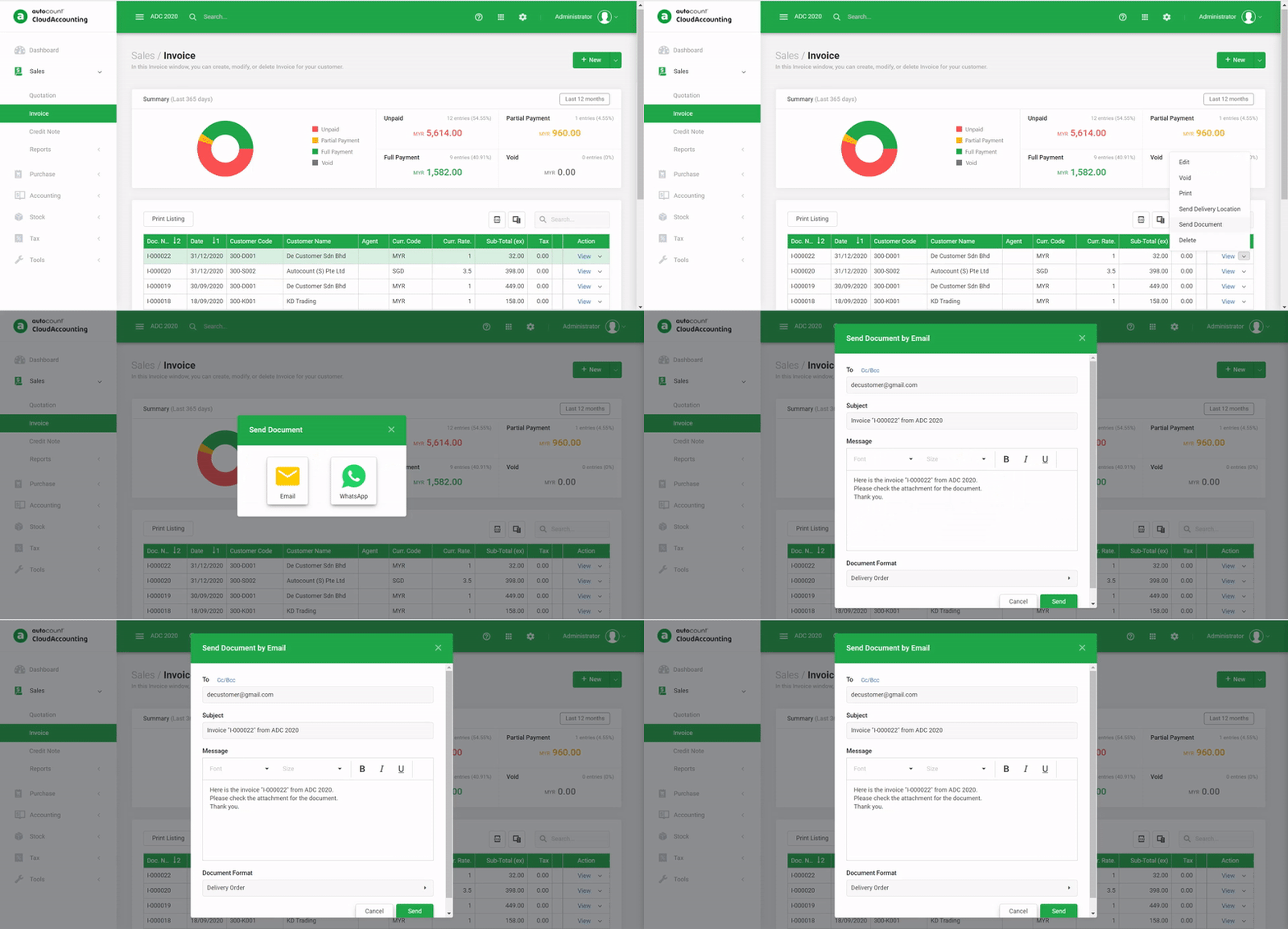
What Is Cloud Accounting

A new way to access your accounting software when and where you need it.

Why AutoCount Cloud Accounting

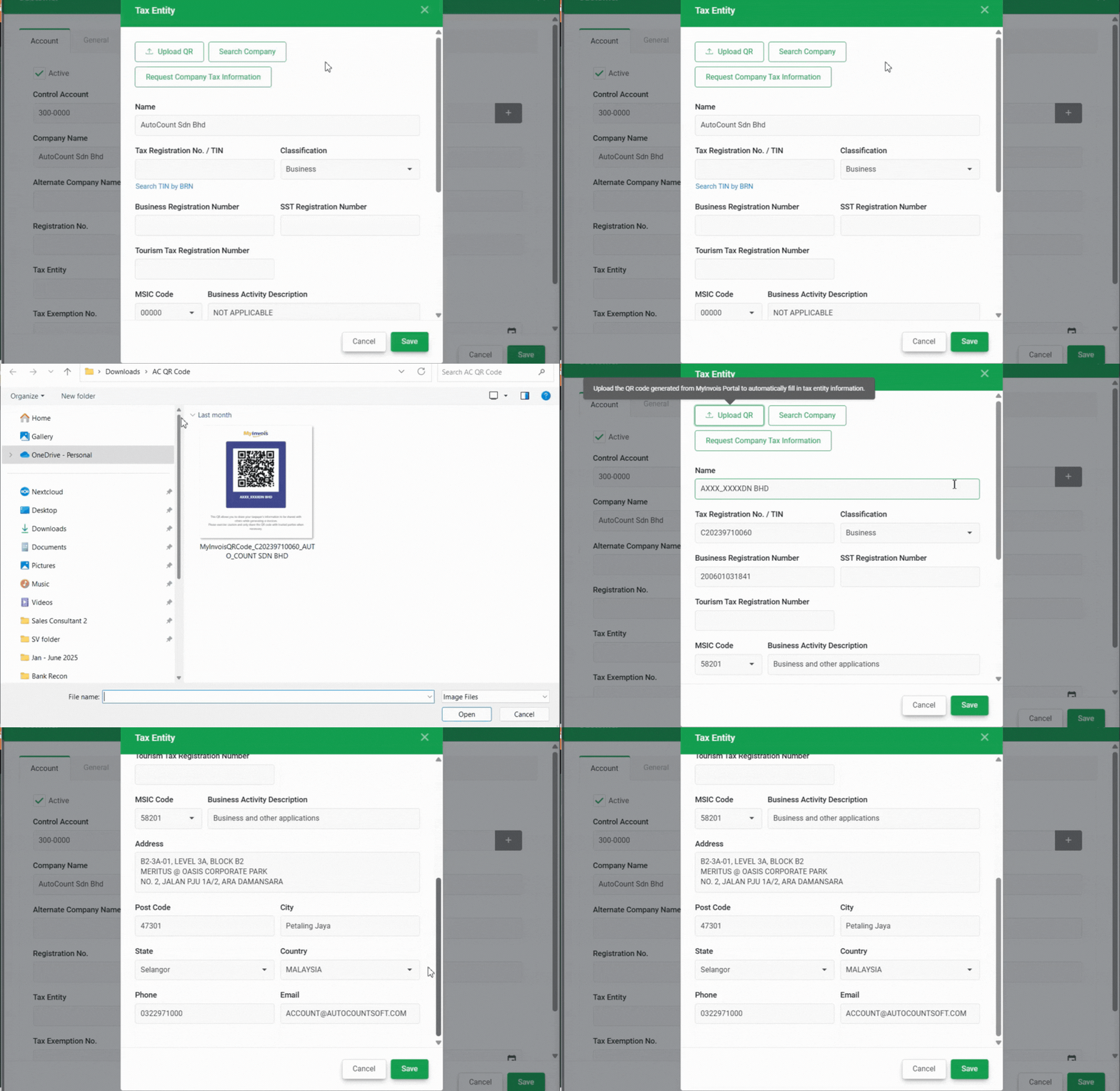
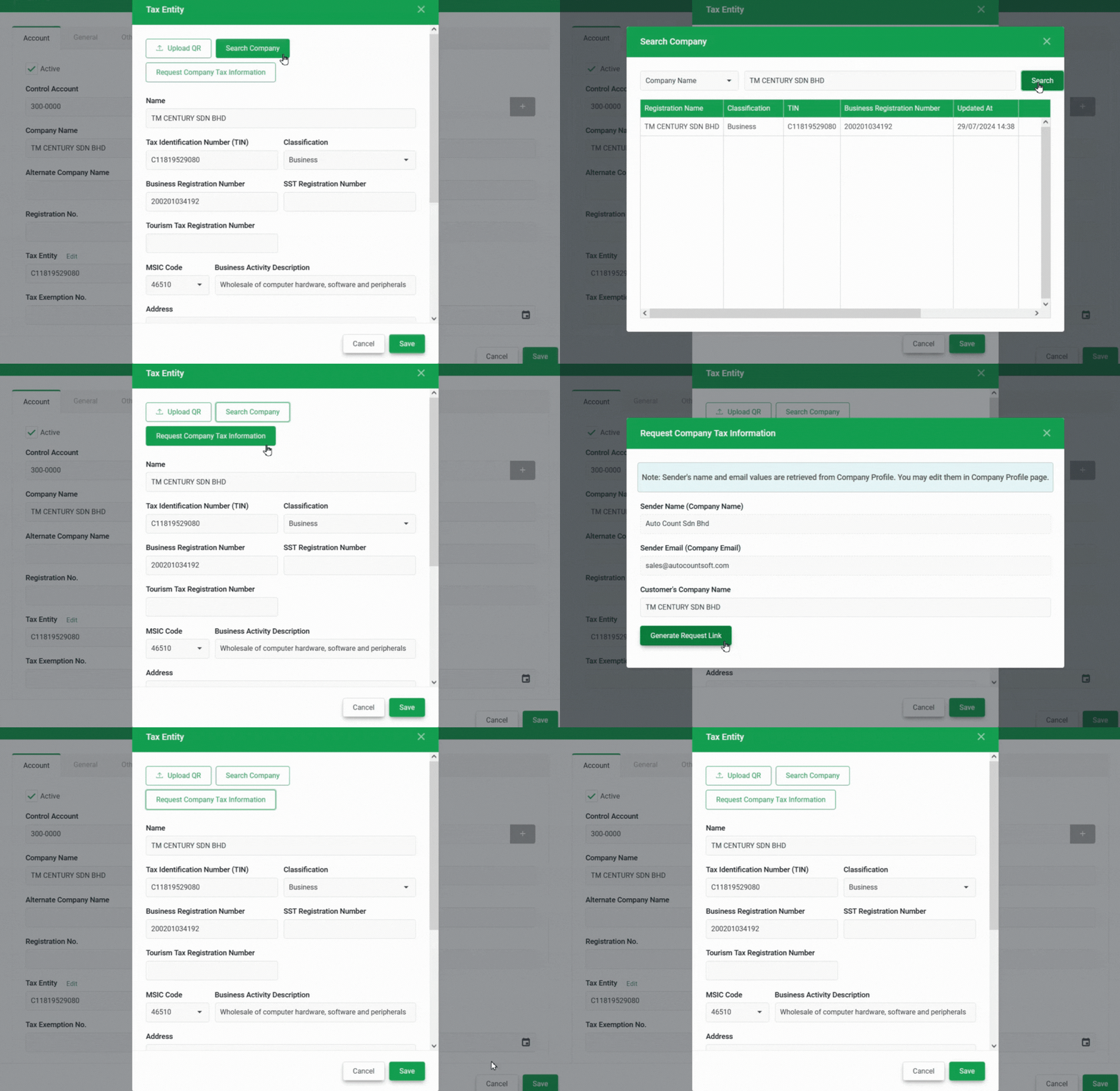
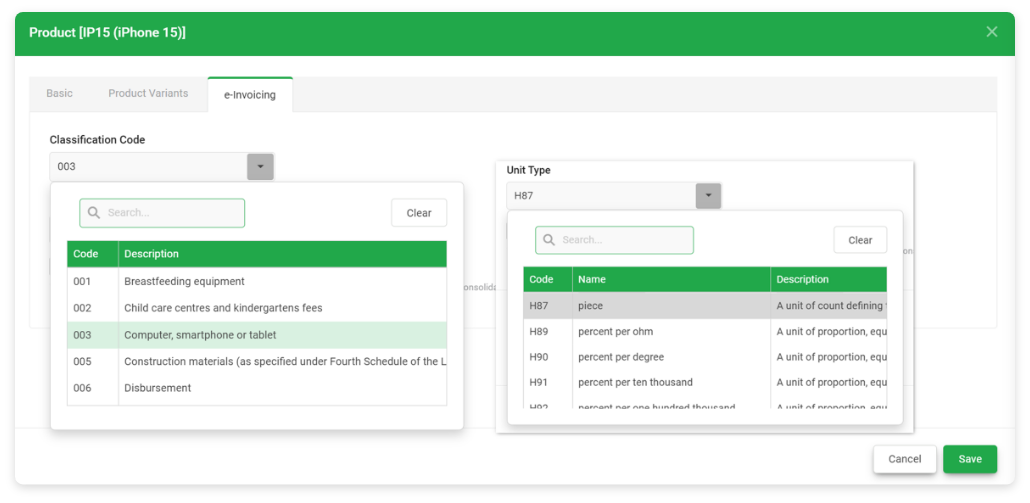
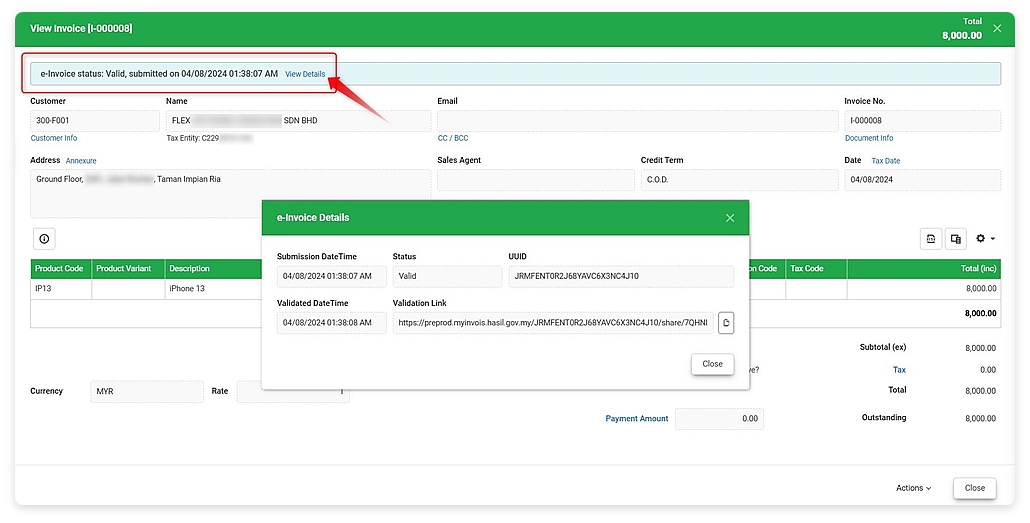
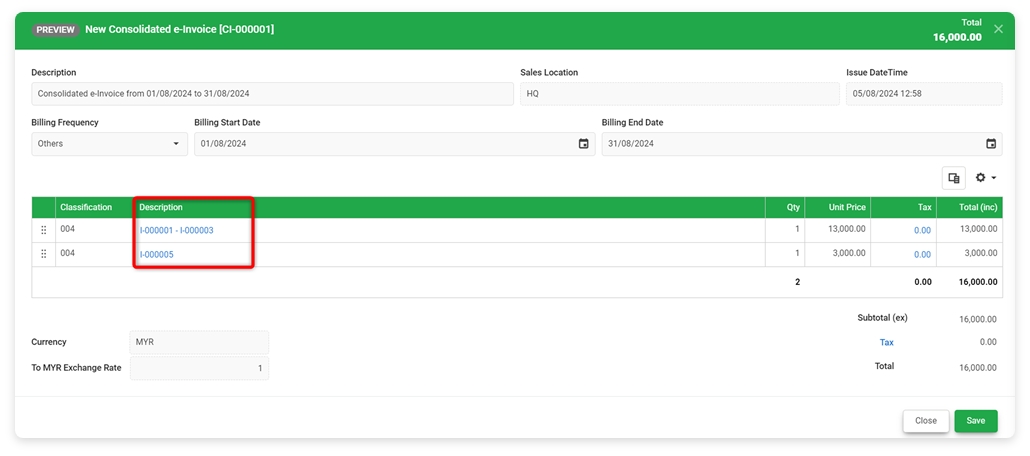
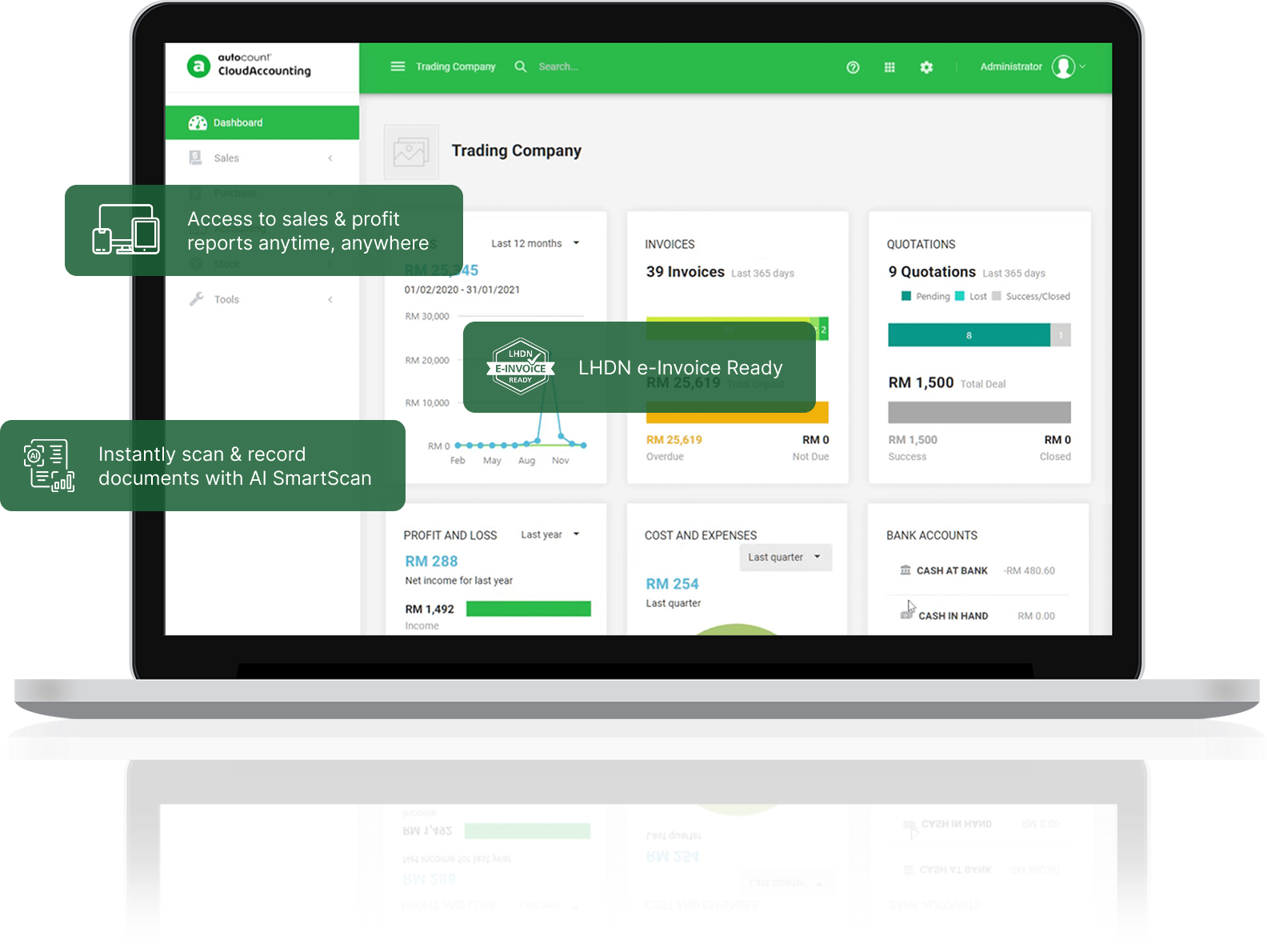
LHDN e-Invoice Ready
Submit for e-Invoice validation directly in AutoCount Cloud Accounting.
Complete & Compliant
Complete accounting system, fully compliant with local tax and statutory requirement
Accountant Friendly
Accountant Friendly
Ideal for accounting service providers, convenient and efficient.
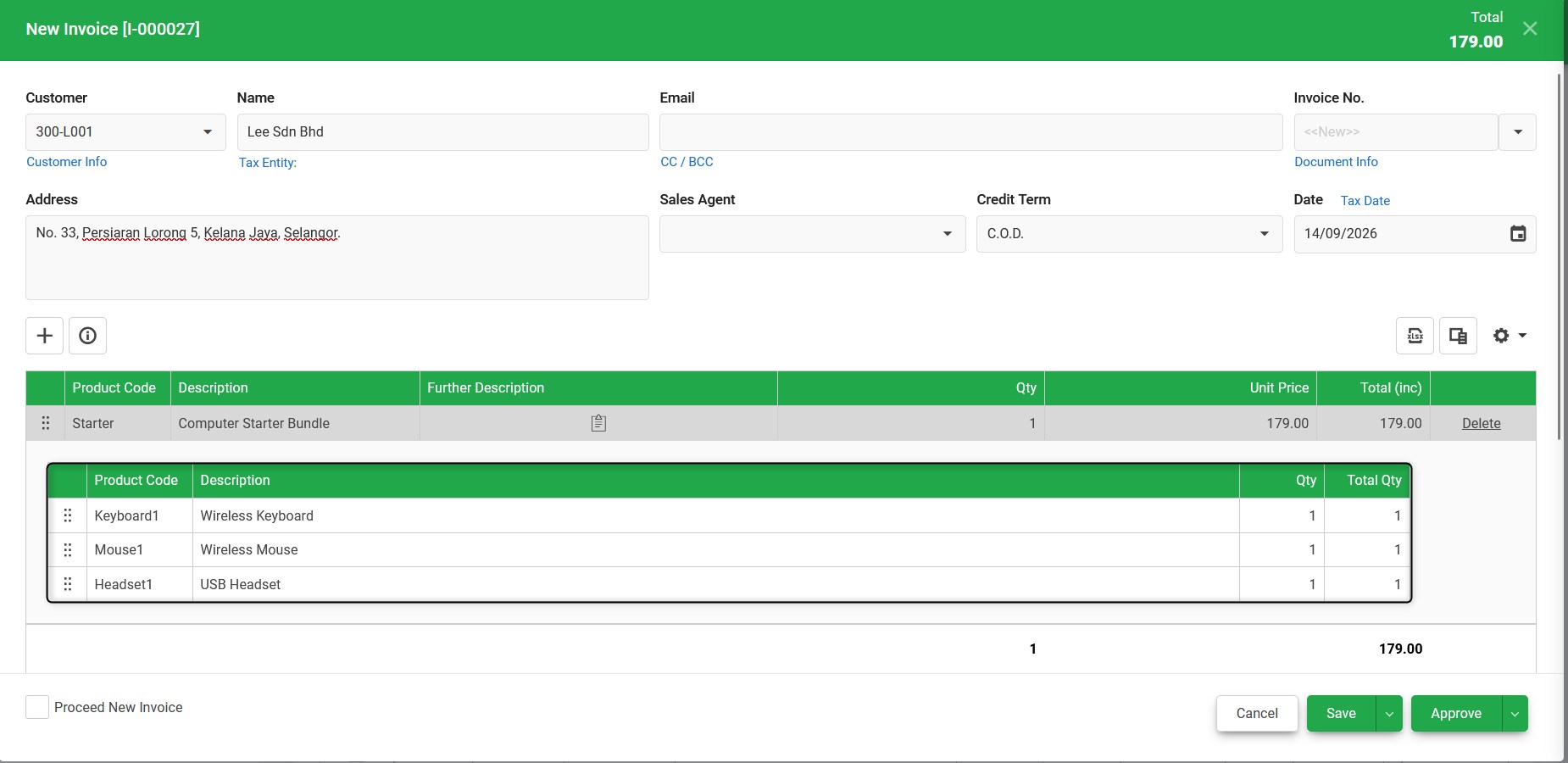
Great Invoicing
Great Invoicing
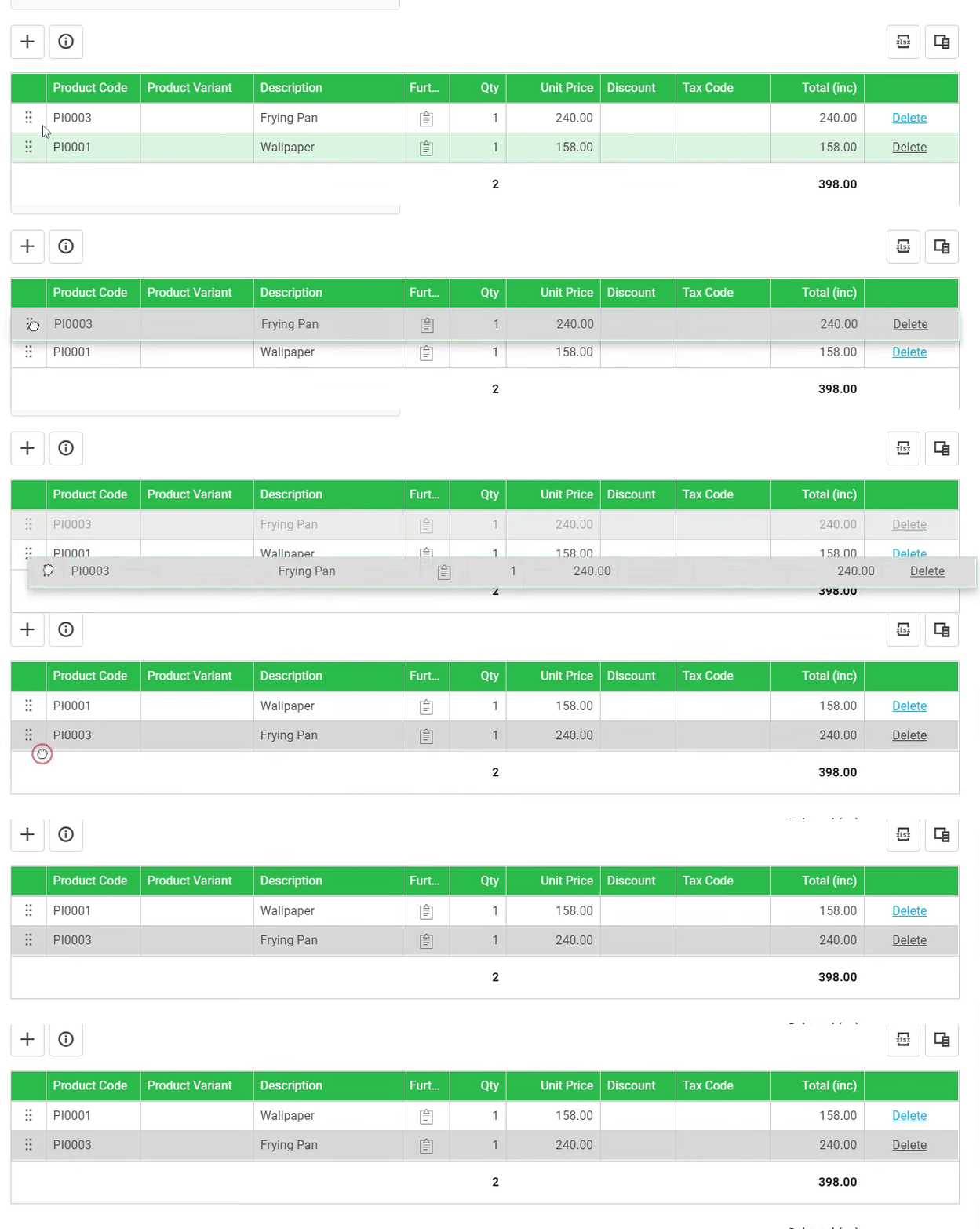
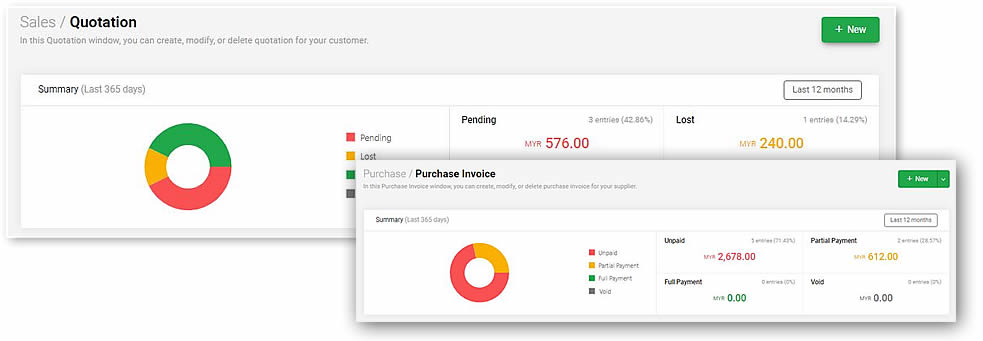
Great experience in billing and transaction, fast and accurate.
Comprehensive Inventory
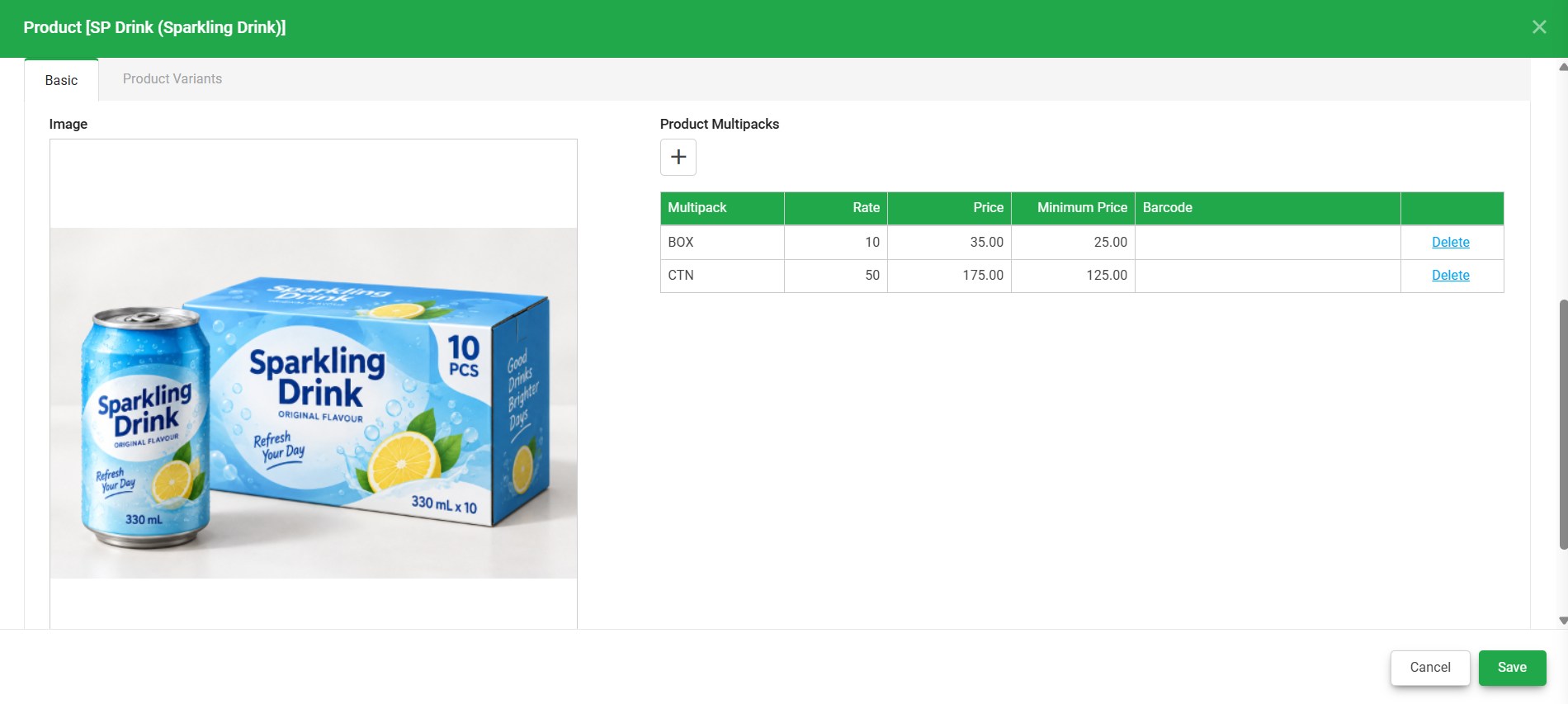
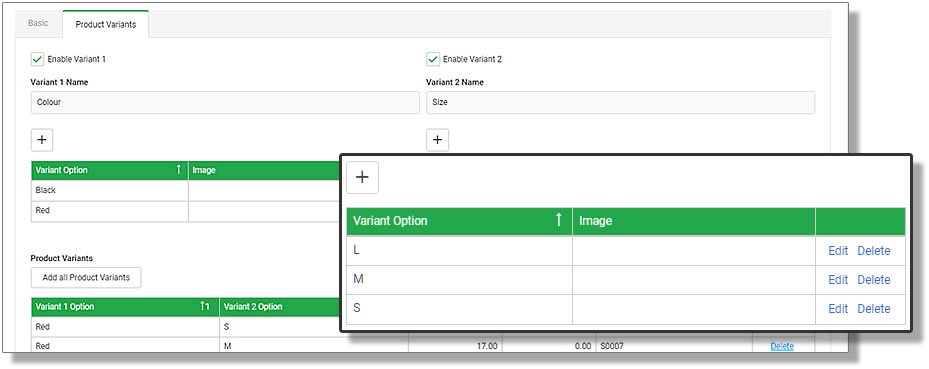
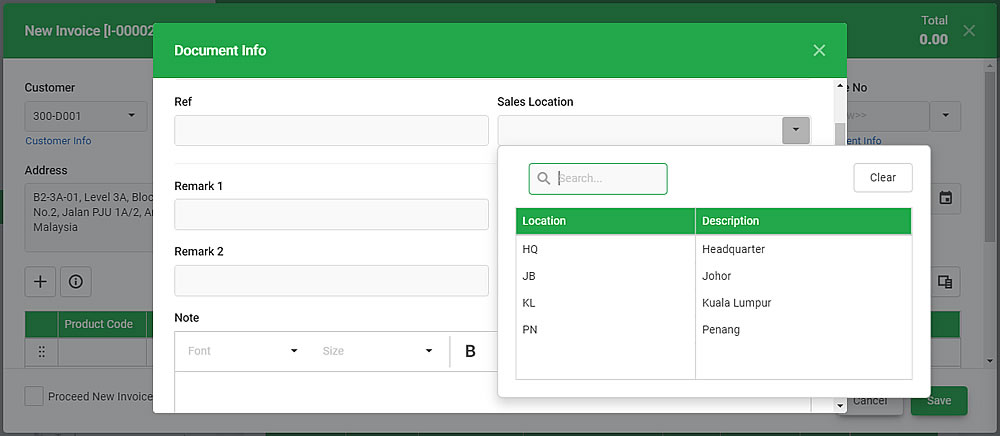
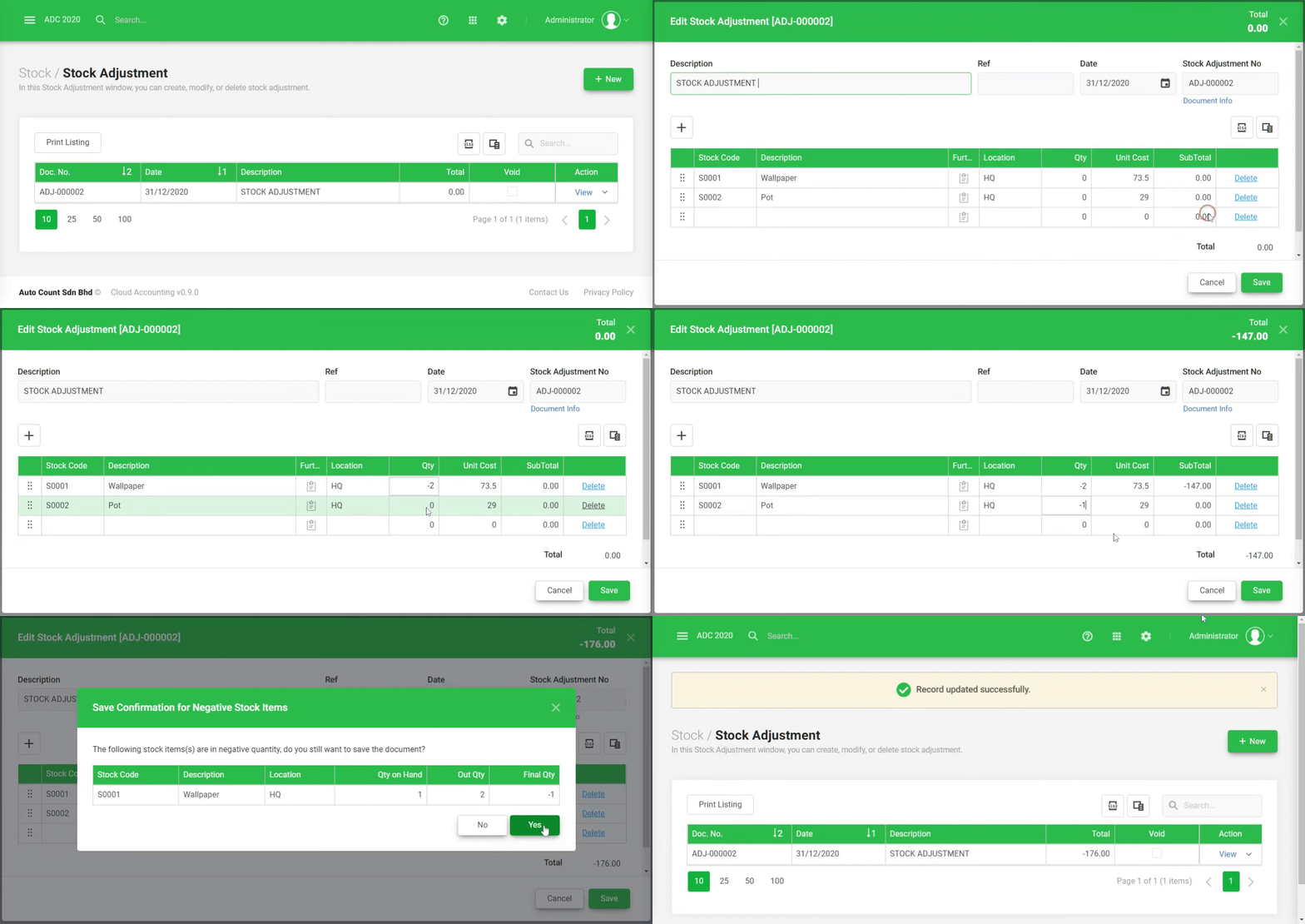
Manage both stock and non-stock items, for multiple locations and variants.
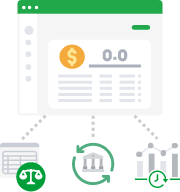
Informative Reports
Informative Reports
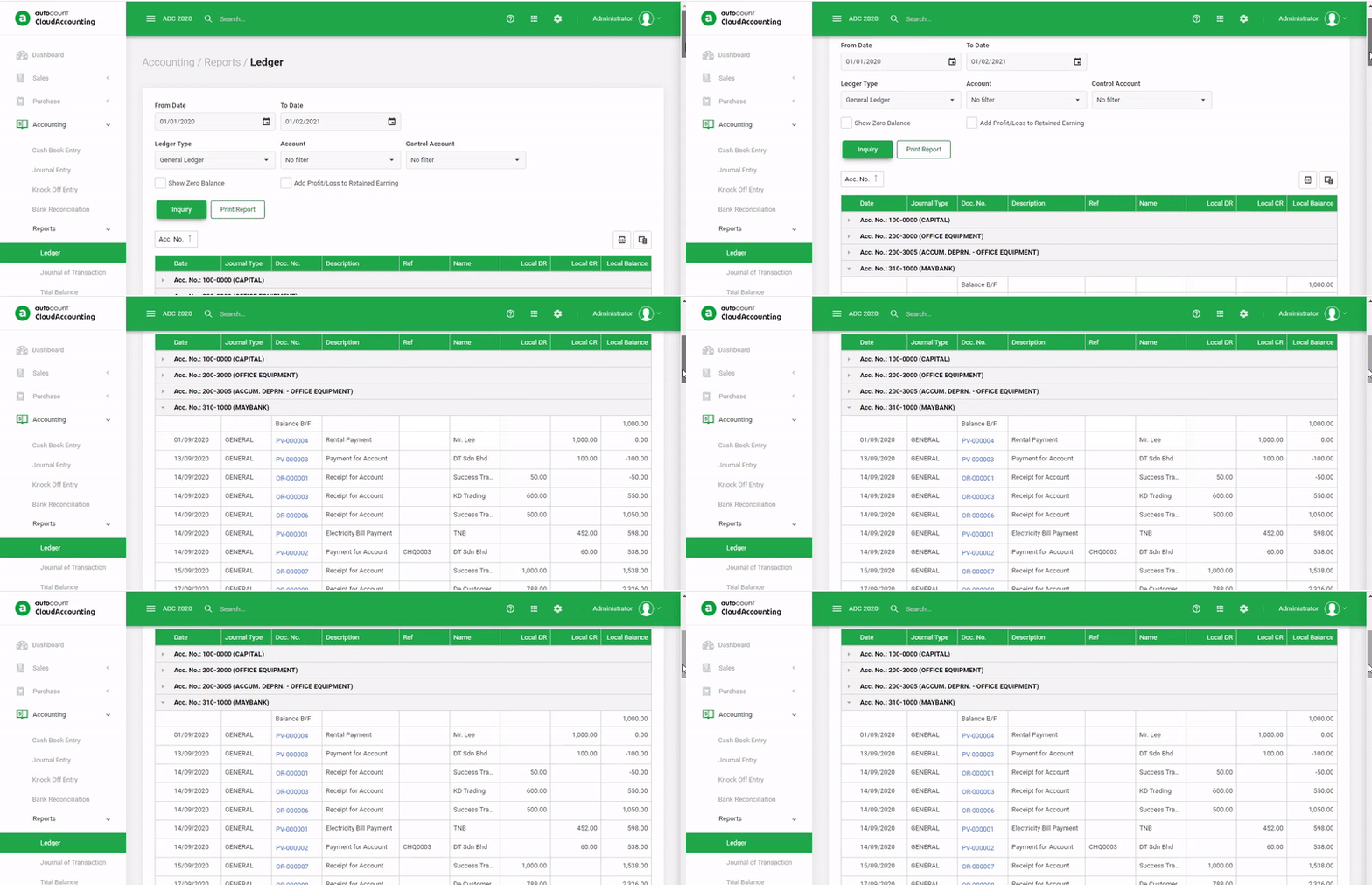
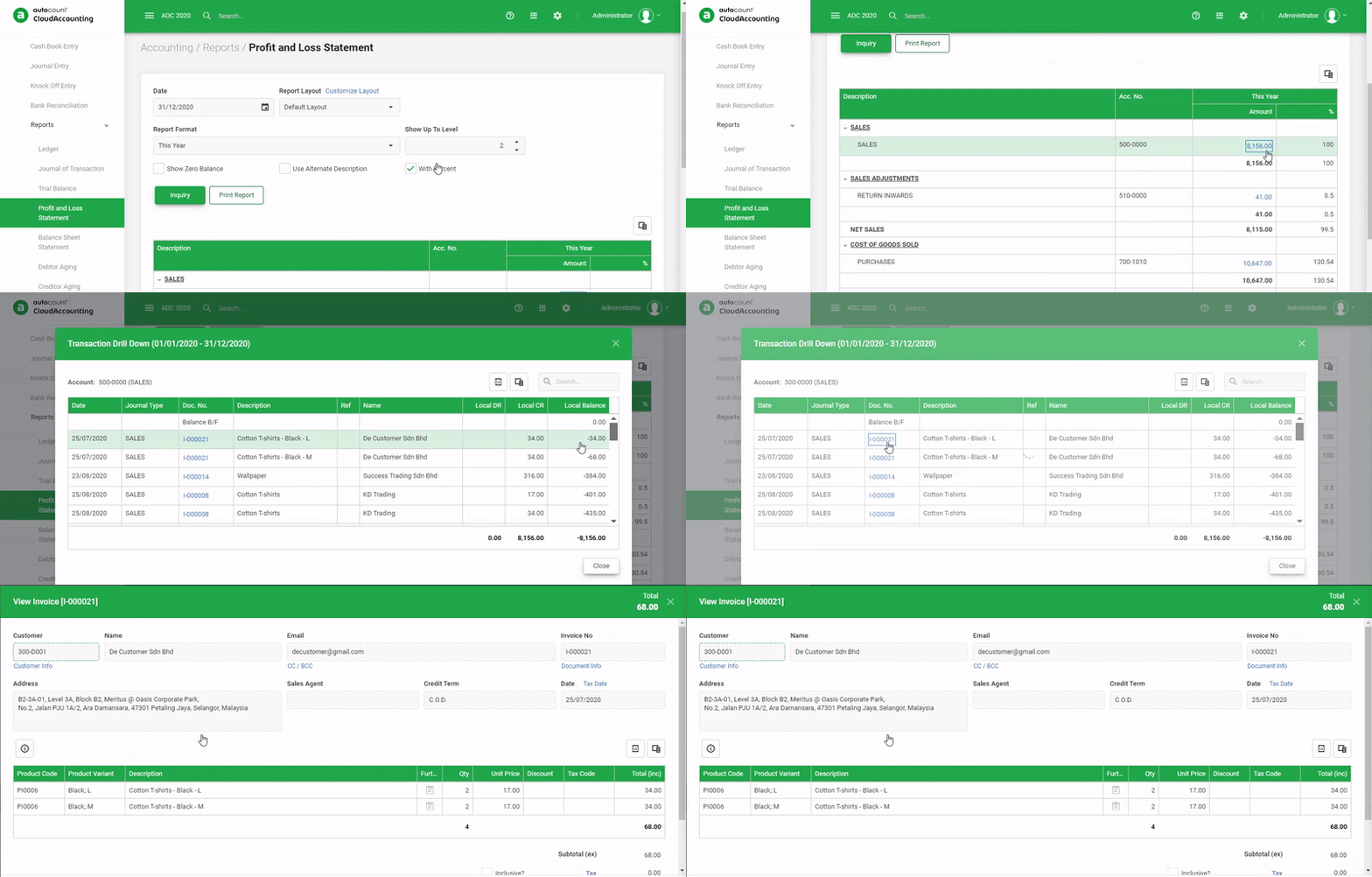
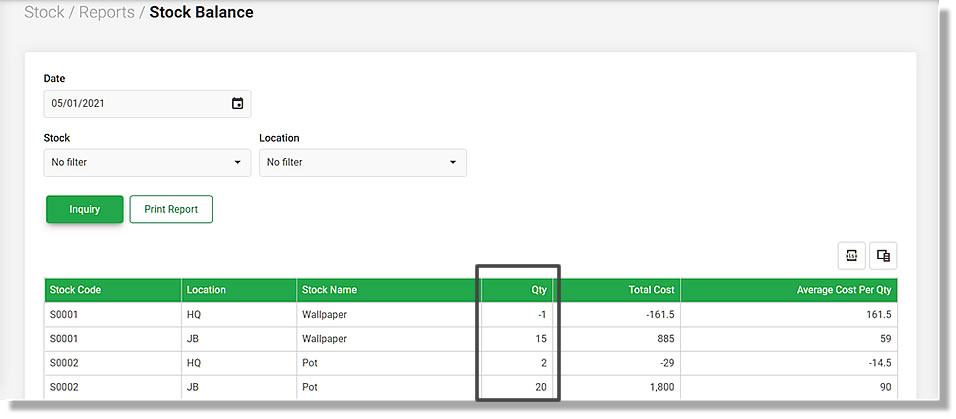
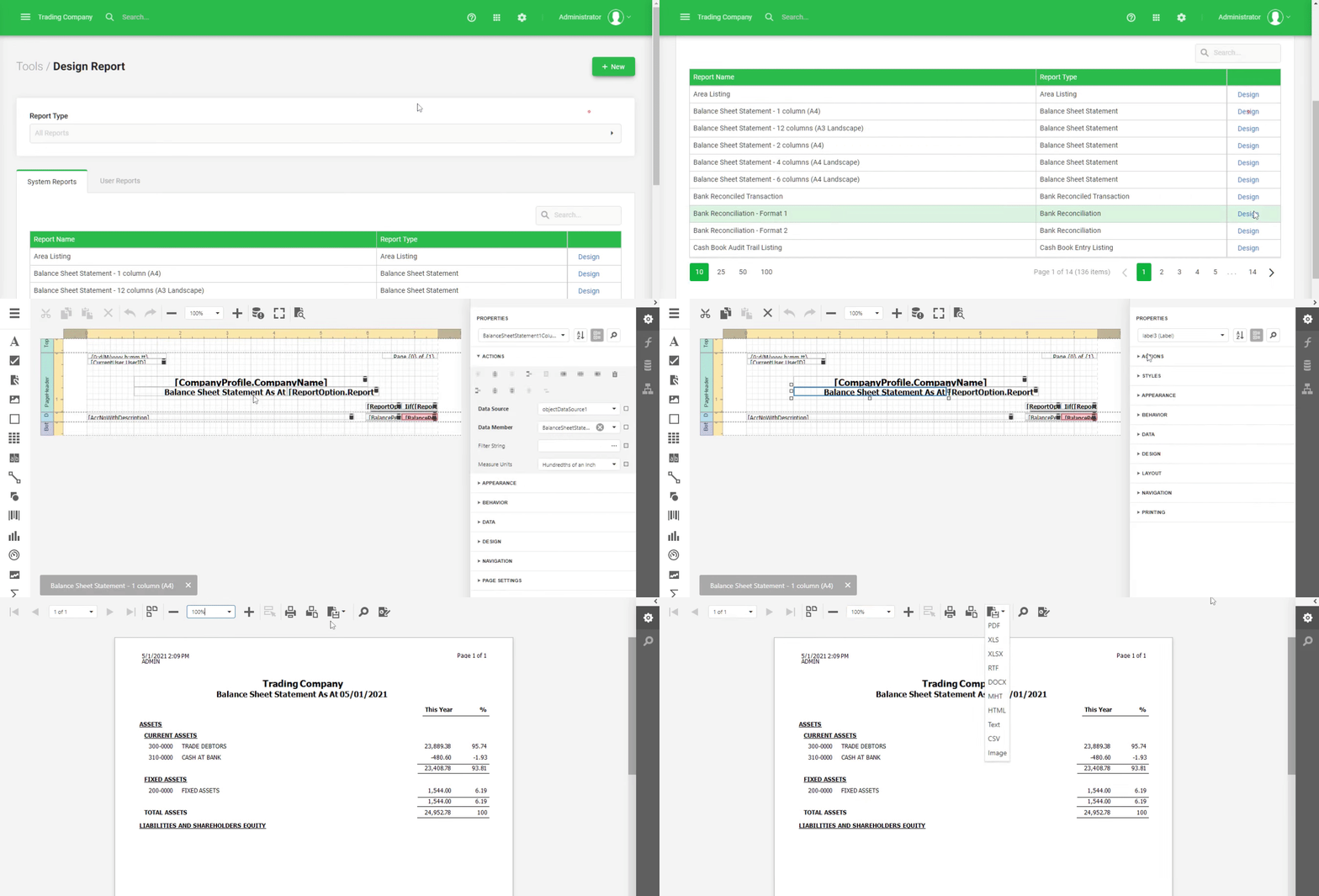
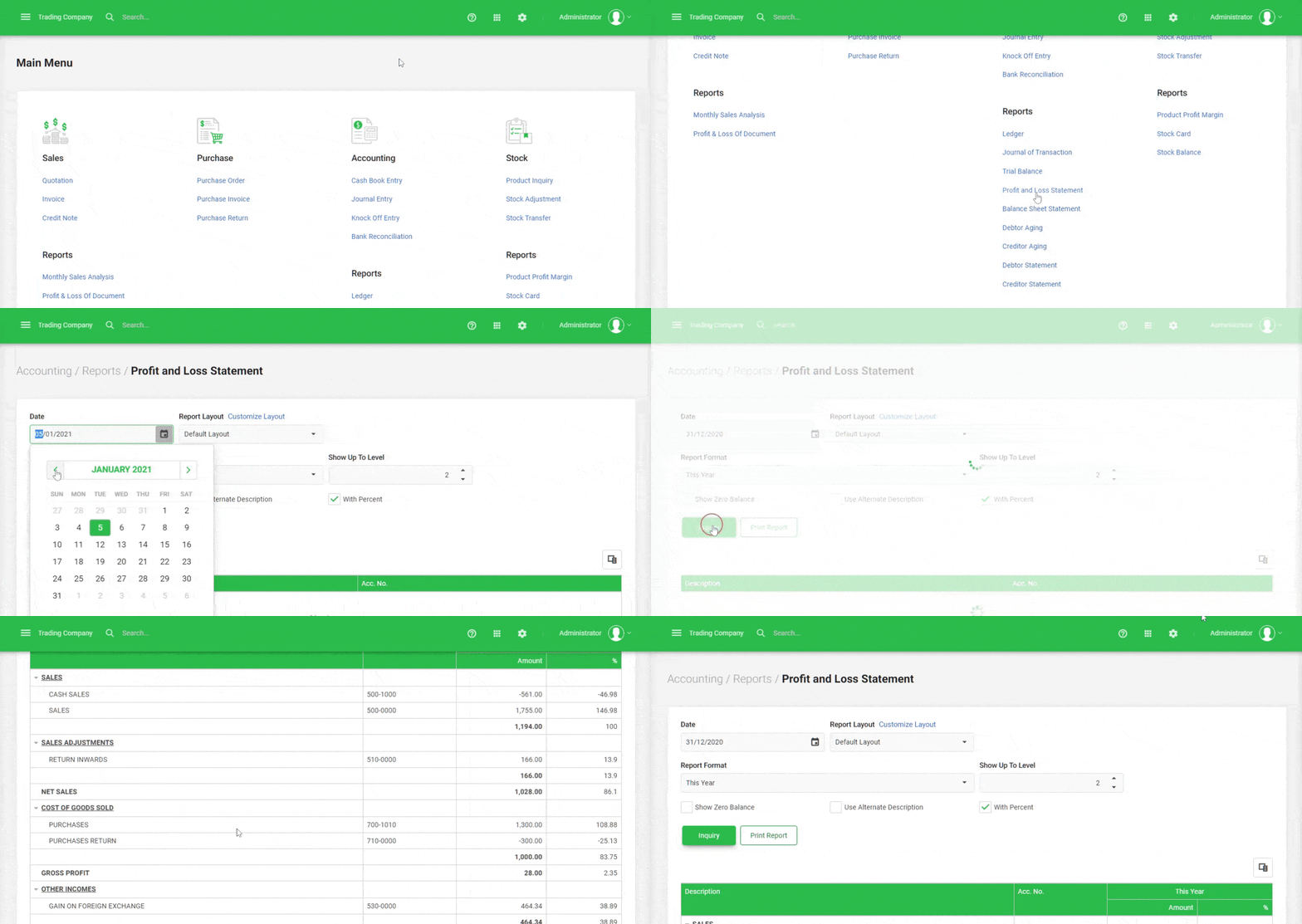
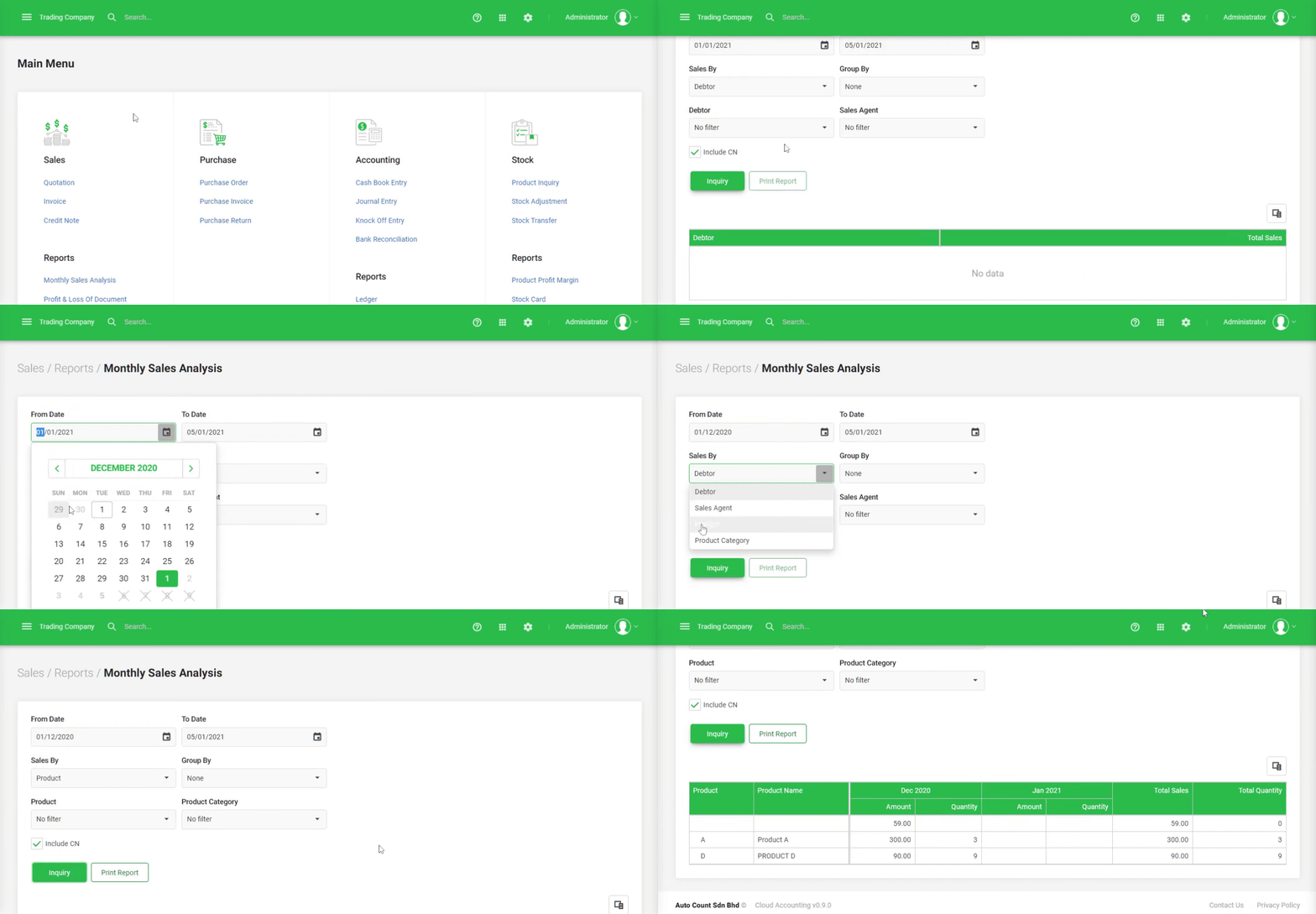
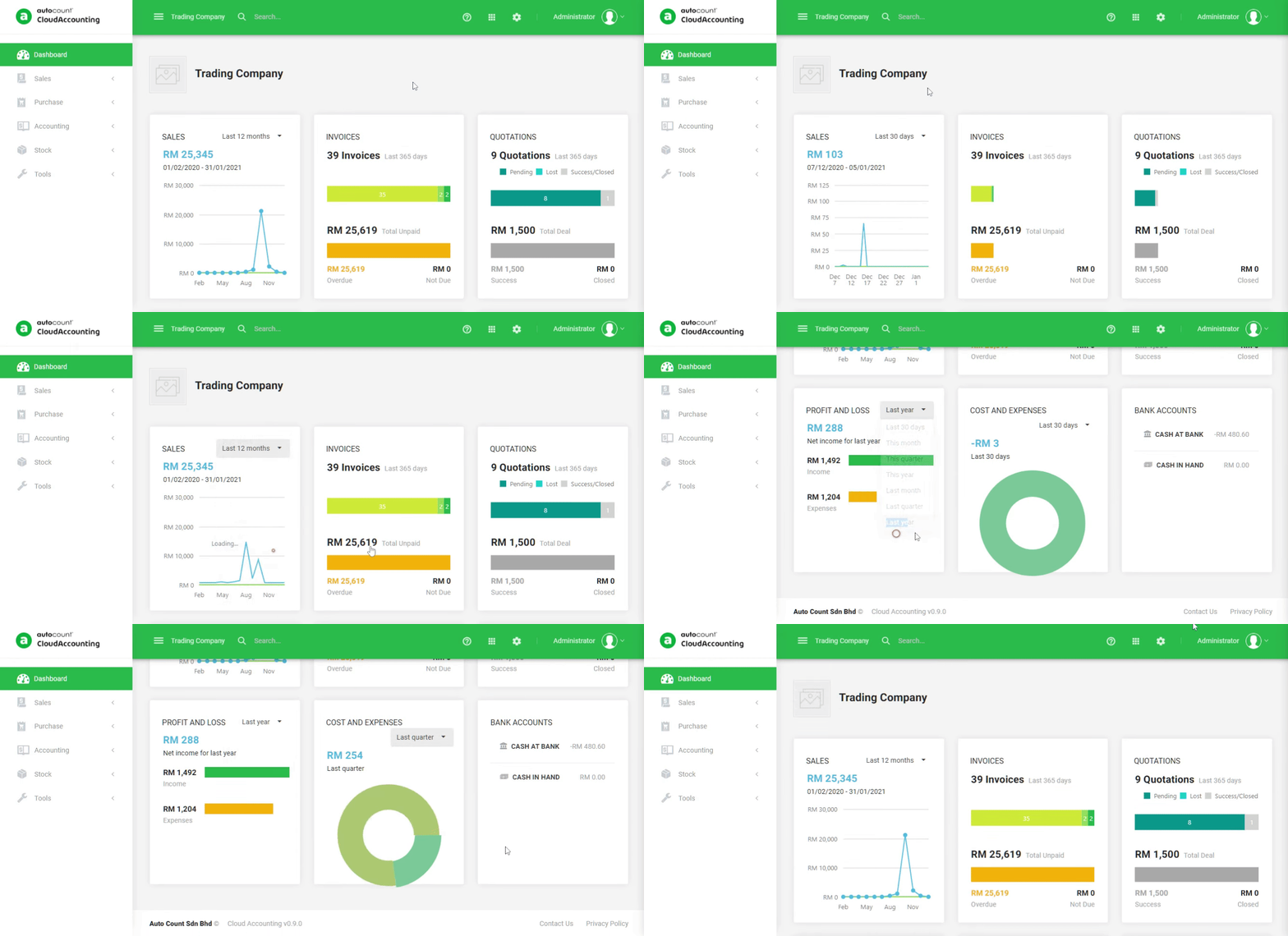
Full range of customizable reports, real time dashboard with essential info..
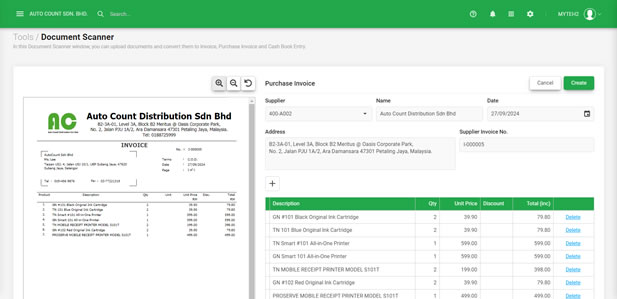
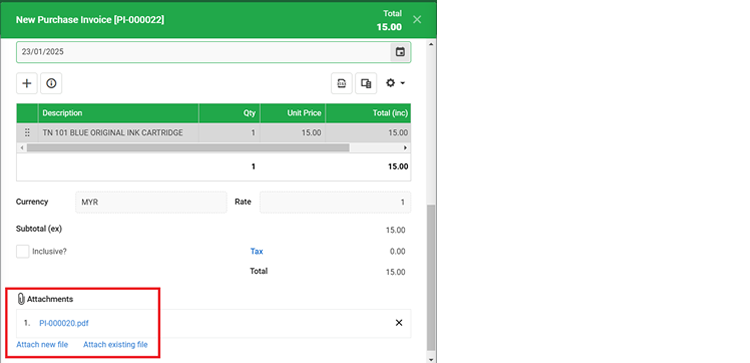
Capture, Upload & Extract Data
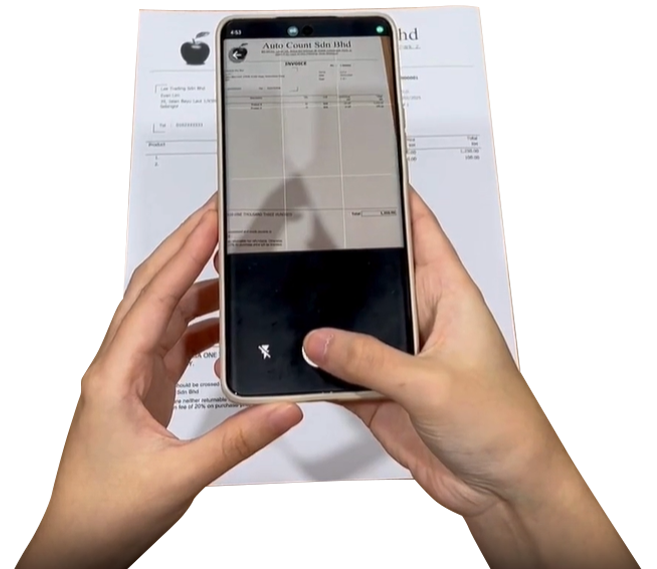
Seamlessly capture and record document data with AI SmartScan.
Bank Connection
Bank Connection
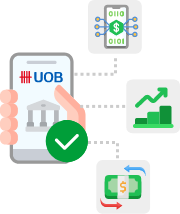
Connect your bank account to AutoCount Cloud Accounting.
Free Resources
Free Resources
Get online support and training/learning resources for FREE.
Work Anytime, Anywhere, Any Device

Anytime, Anywhere, Any Device

Accessibility Becomes Limitless, So Does Your Business

As long as internet is accessible, AutoCount Cloud Accounting is always there to perform her duties as you wish. What you need is just a device, either a PC, mobile phone, tablet, or laptop.

Mlow initial cost

Low Initial Cost

Big Saver On Server and Storage Hardware

Think about how much you could save on hardware, storage and security facilities.

Maintenance-Free

Maintenance-Free

Software is Auto Updated

Software updates automatically means no more hassles on downloading and installing updates or newer versions from time to time. You always enjoy the latest version and features once it is made available.
Maintenance-Free

Collaborative Access

Multiple Users' Access is Better Administered

It is so much easier to collaborate jobs and duties of users accessing from different locations and levels, but to the same database and platform. All inputs, billings, postings, and reports are instantly completed, and accessible according to access rights setting.
Secured Database

Secured Database

Your Data is Auto-Backup and Protected

We care about security as much as you do. Your accounts and records are all saved and backup in a secured cloud environment through world class data center Huawei Cloud.

Start using AutoCount Cloud Accounting for free!

Access all AutoCount Cloud Accounting features for Free*, then decide which plan best suits your business.

Start Your Free Trial
  • Cancel any time
  • No minimum contract
  • No credit card required

Choose Your Pricing Plan


Lite

RM 70 /mo

Basic

RM 100 /mo

Plus

RM 140 /mo

Pro

RM 180 /mo

ACCOUNTANT

RM 10 /moMore info

Best for Start-up / Micro Company Professional Services Trading of products Multi-warehouse Accounting firm
Included users 1 user 2 users 3 users 3 users 2 users
Accountant 1 accountant 1 accountant 1 accountant 1 accountant  
Accounting
Auto Bank Reconciliation
Quotation, Invoice, Credit Note
Only Invoice, Credit Note
Printing of Sales Document (Quotation, Invoice, Credit Note)  
Sales Report - Monthly Sales Analysis    
Sales Report - Profit & Loss of Document      
Purchase Order, Purchase Invoice, Purchase Return
Only Purchase Invoice, Purchase Return
Printing of Purchase Document
Only Purchase Order
 
Purchase Report - Monthly Purchase Analysis    
LHDN e-Invoice
SST  
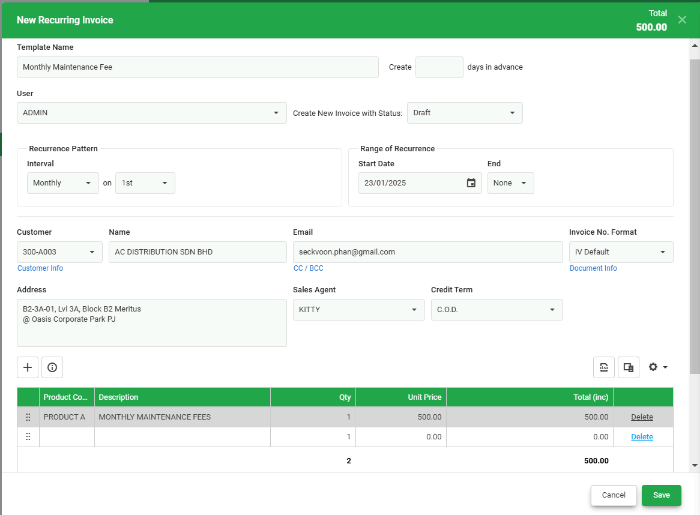
Recurring Transaction  
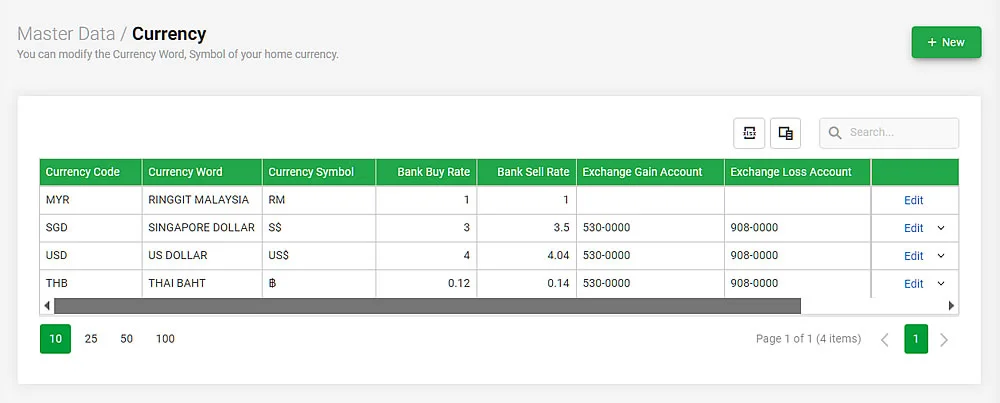
Multi-Currency    
Track Inventory      
Track Product Variant      
Department    
Multi-Location        
Customize Financial Report Layout      
AI SmartScan *
Attachment 5GB 5GB 10GB 20GB 5GB
Email Ticketing
Live Chat
Phone Support A fee is chargeable for Phone Support
API for Integration
More information on Open API available
Add-on User RM10 /month /per user RM10 /month /per user RM20 /month /per user RM20 /month /per user RM10 /month /per user
AI SmartScan Credit RM10 for additional 200 credits
Attachment Storage RM7 /month for additional 5GB storage
Sales Module Unlimited transaction including Quotation, Invoice, Credit Note (CN.)*
Purchase Module Up to 60 transactions including Purchase Order (PO.), Purchase Invoices (PI.) and Purchase Return (PR.)*
Stock Module Up to 60 transactions including Stock Adjustment and Stock Transfer*
Accounting Module Up to 60 transactions including Cash Book and Journal Voucher.*
*Free Trial: use for free until any of the above modules reaches its free trial transaction limit within a calendar year.
 

Lite

RM 840

294

Basic

RM 1200

420

Plus

RM 1680

588

Pro

RM 2160

756

ACCOUNTANT

RM 120More info

Best for Start-up / Micro Company Professional Services Trading of products Multi-warehouse Accounting firm
Included users 1 user 2 users 3 users 3 users 2 users
Accountant 1 accountant 1 accountant 1 accountant 1 accountant  
Accounting
Auto Bank Reconciliation
Quotation, Invoice, Credit Note
Only Invoice, Credit Note
Printing of Sales Document (Quotation, Invoice, Credit Note)  
Sales Report - Monthly Sales Analysis    
Sales Report - Profit & Loss of Document      
Purchase Order, Purchase Invoice, Purchase Return
Only Purchase Invoice, Purchase Return
Printing of Purchase Document
Only Purchase Order
 
Purchase Report - Monthly Purchase Analysis    
LHDN e-Invoice
SST  
Recurring Transaction  
Multi-Currency    
Track Inventory      
Track Product Variant      
Department    
Multi-Location        
Customize Financial Report Layout      
AI SmartScan *
Attachment 5GB 5GB 10GB 20GB 5GB
Email Ticketing
Live Chat
Phone Support A fee is chargeable for Phone Support
API for Integration
More information on Open API available
Add-on User RM10 /month /per user RM10 /month /per user RM20 /month /per user RM20 /month /per user RM10 /month /per user
AI SmartScan RM10 for additional 200 credits
Attachment Storage RM7 /month for additional 5GB storage
Sales Module Unlimited transaction including Quotation, Invoice, Credit Note (CN.)*
Purchase Module Up to 60 transactions including Purchase Order (PO.), Purchase Invoices (PI.) and Purchase Return (PR.)*
Stock Module Up to 60 transactions including Stock Adjustment and Stock Transfer*
Accounting Module Up to 60 transactions including Cash Book and Journal Voucher.*
*Free Trial: use for free until any of the above modules reaches its free trial transaction limit within a calendar year.
 

Lite

RM 1680

420

Basic

RM 2400

600

Plus

RM 3360

840

Pro

RM 4320

1080

ACCOUNTANT

RM 240More info

Best for Start-up / Micro Company Professional Services Trading of products Multi-warehouse Accounting firm
Included users 1 user 2 users 3 users 3 users 2 users
Accountant 1 accountant 1 accountant 1 accountant 1 accountant  
Accounting
Auto Bank Reconciliation
Quotation, Invoice, Credit Note
Only Invoice, Credit Note
Printing of Sales Document (Quotation, Invoice, Credit Note)  
Sales Report - Monthly Sales Analysis    
Sales Report - Profit & Loss of Document      
Purchase Order, Purchase Invoice, Purchase Return
Only Purchase Invoice, Purchase Return
Printing of Purchase Document
Only Purchase Order
 
Purchase Report - Monthly Purchase Analysis    
LHDN e-Invoice
SST  
Recurring Transaction  
Multi-Currency    
Track Inventory      
Track Product Variant      
Department    
Multi-Location        
Customize Financial Report Layout      
AI SmartScan *
Attachment 5GB 5GB 10GB 20GB 5GB
Email Ticketing
Live Chat
Phone Support A fee is chargeable for Phone Support
API for Integration
More information on Open API available
Add-on User RM10 /month /per user RM10 /month /per user RM20 /month /per user RM20 /month /per user RM10 /month /per user
AI SmartScan RM10 for additional 200 credits
Attachment Storage RM7 /month for additional 5GB storage
Sales Module Unlimited transaction including Quotation, Invoice, Credit Note (CN.)*
Purchase Module Up to 60 transactions including Purchase Order (PO.), Purchase Invoices (PI.) and Purchase Return (PR.)*
Stock Module Up to 60 transactions including Stock Adjustment and Stock Transfer*
Accounting Module Up to 60 transactions including Cash Book and Journal Voucher.*
*Free Trial: use for free until any of the above modules reaches its free trial transaction limit within a calendar year.

**Price displayed excludes SST charges.
** All promotion offers are subject to terms and conditions.

Hear What Our Customers Say

“This cloud-based accounting software is convenient, and it is ideal for working from home and on the go. It's easy to learn and use even without an accounting background”.
“It is time-consuming to create formula spreadsheets to manage our accounting, besides spending time rectifying data entry mistakes. We solved these challenges by adopting AutoCount Cloud Accounting”.
“The user interface has surprised me; all you need to do is press a few buttons, and it will generate an invoice for you. It's so easy!.“
“With AutoCount Cloud Accounting & Cloud Payroll, I get everything done in just 10mins. It is much more productive compared to using excel spreadsheets”.

FIND your answers

Cloud Accounting FAQs

  • 1. What is AutoCount Cloud Accounting?
    AutoCount Cloud Accounting is a web-based accounting system that helps businesses manage sales, purchases, inventory, and financial reporting in one secure platform. It provides real-time access, automated backups, and an intuitive interface, making it ideal for SMEs, startups, and freelance accountants.
  • 2. Do I need to have a server to use AutoCount Cloud Accounting?
    No, AutoCount Cloud Accounting is hosted on a secure cloud platform. Users only need an internet-enabled device to access it through your web browser.
  • 3. Can I use AutoCount Cloud Accounting on my phone?
    Yes. You can access AutoCount Cloud Accounting on any device with an internet browser, including smartphones and tablets.
  • 4. What pricing plans are available?
    We offer five plans designed to suit different business needs. You can view and compare all plans on our pricing page here. For more information, contact our sales team at sales@autocountsoft.com or start a live chat.
  • 5. Can I get a free trial and how can I get started?
    Yes. You can sign up for a free trial by clicking the “Free Trial” button on our website here. No credit card is required.
  • 6. How long is the free trial for?
    Instead of being limited by time, AutoCount Cloud Accounting’s free trial is based on transaction usage. You can use the system for free until any of the following limits are reached within a calendar year:
    Module Free Trial Limit
    Sales Unlimited transactions including Quotation, Invoice, Credit Note (CN.)*
    Purchases Up to 60 transactions including Purchase Order (PO.), Purchase Invoices (PI.), and Purchase Return (PR.)*
    Stock Up to 60 transactions including Stock Adjustment and Stock Transfer*
    Accounting Up to 60 transactions including Cash Book and Journal Voucher.*
    *Free Trial: Use for free until any of the above modules reaches its free trial transaction limit within a calendar year.
  • 7. Are there any self-learning resources available to set up my account?
    Yes. We provide free step-by-step video tutorials on YouTube and a Quick Start Guide to help you set up and use the system confidently.
  • 8. What support services are available?
    You can reach our support team via Email and Live Chat during business hours: Monday to Friday, 9:00 AM – 6:00 PM (GMT +8).
  • 9. Is there any demo available for us to see how the system works?
    Yes, we provide a free weekly webinar demo that allows you to understand the features along with a full demonstration of how the system works. Refer to the available dates here.
  • 10. Is training available for users?
    Yes. In addition to self-learning resources, we offer complimentary online user training sessions. You can register and check available dates through our training page here.
  • 11. After my free trial ends, can I directly subscribe to the account?
    Yes. You can upgrade your free trial account to a paid plan anytime without losing any of your data.
  • 12. Can I import my data from other accounting software or Excel?
    Yes. You can easily migrate data using our Excel import templates, making it simple to switch from other systems.
  • 13. Can I download my data after I stop using AutoCount Cloud Accounting?
    Yes. You can still download your data using the export functions available (e.g., Excel, PDF).
  • 1. What kind of modules are available in AutoCount Cloud Accounting?

    It includes sales, purchase, inventory, accounting, e-Invoice modules, and more. You can visit our pricing page here for a feature comparison.


  • 2. Does AutoCount Cloud Accounting support LHDN e-Invoice?
    Yes. AutoCount Cloud Accounting is directly integrated with LHDN MyInvois for seamless e-Invoice submission and validation. It fully complies with Malaysia’s e-Invoice requirements.
  • 3. Is there an additional fee required to use the e-Invoice function?
    No. The e-Invoice feature is included in all plans at no additional cost.
  • 4. Can AutoCount Cloud Accounting scan documents and capture the details into the system?
    Yes. With the AI SmartScan (Document Scanner) feature, you can take photos of invoices, bills, and receipts and upload them into AutoCount Cloud Accounting. The system will automatically extract and fill in the transaction details for you.
  • 5. Does AutoCount Cloud Accounting integrate with any banks for Bank Feed?
    Yes. Bank Feed is available for Maybank SME/Business accounts and UOB Business Banking accounts, allowing transactions to be synced directly into the system.
  • 6. If I run a trading company, can I track my inventory?
    Yes, we offer plans tailored for businesses that require inventory functionality. You can visit our pricing page here.
  • 7. My business has a freelance accountant assisting with my accounting. Can my freelance accountant help me without visiting my office?
    Yes. You can invite your in-house or freelance accountant to access your account securely from anywhere, as AutoCount Cloud Accounting is accessible anytime, anywhere on any internet-connected device.
  • 1. Which Cloud platform is AutoCount Cloud Accounting hosted on?
    AutoCount Cloud Accounting is hosted in Huawei’s secure data centres, one of the world’s leading cloud infrastructure providers.
  • 2. Will my information be safe with AutoCount Cloud Accounting?
    AutoCount is ISO 27001:2022 certified, ensuring a higher level of security through the implementation of rigorous quality assurance measures and data protection protocols. Learn more about AutoCount's privacy policy here.
  • 3. How is the platform kept secure?
    Your data is protected by enterprise-grade security, encryption, access control, and cloud infrastructure hosted in Huawei’s secure environment.
  • 4. How frequently is AutoCount Cloud Accounting updated?
    We are dedicated to providing the best user experience by regularly updating the system with new features and fixes. As a Cloud system, updates are applied automatically, usually during off-peak hours, with minimal disruption and no action needed from users.
  • 5. How does AutoCount Cloud Accounting handle data backup?
    Your data is continuously protected with multiple layers of automated backup: recent changes are backed up every 10 minutes, differential backups run hourly, and a full backup is performed daily, ensuring your information stays protected at all times.
  • 1. What subscription durations are available?
    We offer flexible billing options, ranging from Monthly, 3-month, 6-month, 12-month, 24-month, or 60-month subscription plans.
  • 2. Is there any upfront or initial cost other than the subscription fees?
    Normally, there are no setup fees. If you need customised implementation or report design, our team can assist—just contact us at 03-3000 3010.
  • 3. What are the available payment methods to subscribe to Cloud Accounting?
    Payments are made through the subscription portal, with available methods including credit card, debit card, FPX, and e-wallet.
  • 4. Is there a contract for the subscription?
    No long-term contract is required. You can subscribe on a monthly or annual basis based on your preference.

What's Next?

Learn signup AutoCount Cloud Accounting
Learn Sign Up in 3 Minutes
Learn Now
Malaysia AutoCount Cloud Accounting learning video
User Training Video

Click To Watch
EN | 中文

Malaysia AutoCount Cloud Accounting Help File
Access to Online Help File
Find Out More
Malaysia AutoCount Academy
AutoCount Academy FREE Online Course
Self-paced Learning

Try it yourself. It’s Free!

Or call us at 1800 88 7766 to know more

Discover our other popular software